
60-Second Self-Host Quickstart
Deploy GarrisonOS on your own hardware, local workstation, or cloud VPS. Choose between Docker Compose, automated script installer, or pure Node.js source.
# 1. Download official docker-compose.yml
curl -fsSL https://raw.githubusercontent.com/GarrisonOS/GarrisonOS/main/deploy/docker-compose.yml -o docker-compose.yml

# 2. Launch container in background
docker compose up -d

# 3. Access GarrisonOS in your browser
# URL: http://localhost:8080
# Default admin credentials are generated on first run.
# Automated Linux / macOS Systemd & Caddy deployment
curl -fsSL https://raw.githubusercontent.com/GarrisonOS/GarrisonOS/main/scripts/install.sh | bash
# Prerequisites: Node.js v22.5+ & npm
git clone https://github.com/GarrisonOS/GarrisonOS.git
cd GarrisonOS

# Run clean setup (builds TypeScript, runs topological migrations)
node scripts/setup.js

# Start the server (Zero external runtime dependencies)
node scripts/serve.js
# /etc/caddy/Caddyfile (Automatic Let's Encrypt TLS)
garrison.yourdomain.com {
    reverse_proxy localhost:8080 {
        header_up X-Forwarded-Host {host}
        header_up X-Real-IP {remote}
    }
}
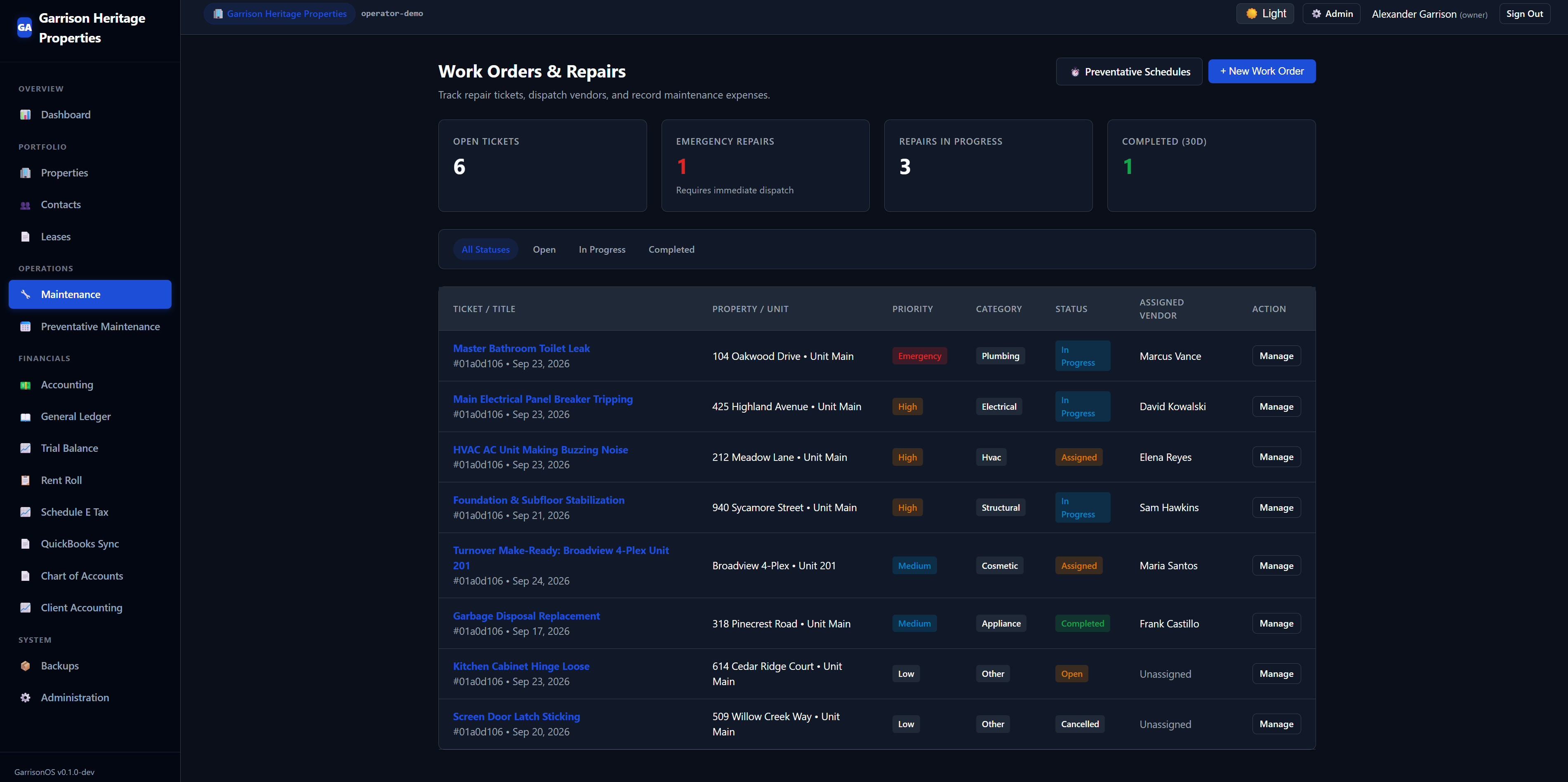
What You Get at http://localhost:8080
Running the installer or Docker Compose starts an instance pre-seeded with sample properties, leases, and real-time maintenance work orders for immediate sandbox evaluation.
Automated Backup CLI
GarrisonOS includes a built-in backup CLI that takes zero-downtime SQLite WAL snapshots and bundles physical media attachments into a single, SHA-256 verified .tar.gz archive.
Resource Footprint
Because GarrisonOS avoids heavy ORMs and framework bloat, the entire process runs comfortably with less than 60 MB RSS RAM and instant sub-second cold starts.
Sandboxed Evaluation
While the project is in pre-production prototyping (Alpha v0.1.0-alpha), we recommend evaluating the platform in Docker or local test environments with test demo portfolios.